Pin items to start a collection!
iOS 5: Battery Saving Tips
| Story | |||

|
MacGeeksCom | ||
| October 2011 | |||
|
|
|||
Two of iOS 5's most touted features are iCloud and iTunes Wi-Fi sync. But they can also suck your battery dry.
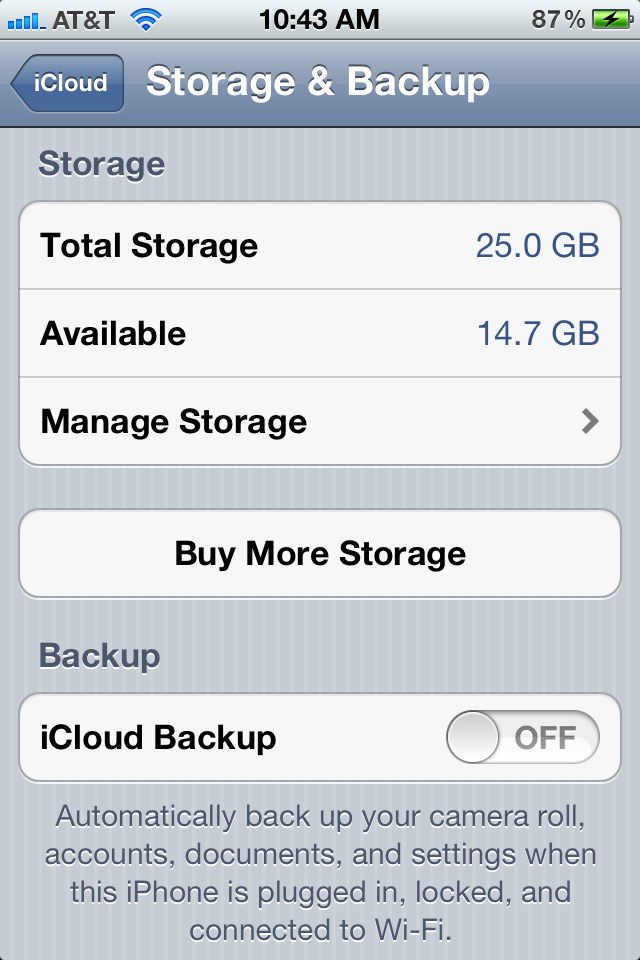
I've found that iCloud's backup has gotten stuck, depleting my battery over night. I went from loosing 85% of my battery over night to only about 5-7% (normal) simply by turning off Backup. The other features remained on. This is going to be a problem for those who have a lot of stuff on their phones: large apps (RAGE, Infinity Blade, etc) and thousands of photos.
Wi-Fi sync is probably less of a conern, but syncing over wireless is much slower than over a phyiscal cable. The phone must keep it's wireless radios alive during this time, so if you're looking to eek every last bit of life out of your battery, this might be an option you want to forgo.
To turn off iCloud backup, navigate to Settings -> iCloud -> Storage & Backup
To turn off iTunes sync, locate the phone in the sidebar of iTunes and turn off the checkbox for sync.
Here's the direct link. Thanks for spreading the word!
© 2026 d27n llc // build 05292013